

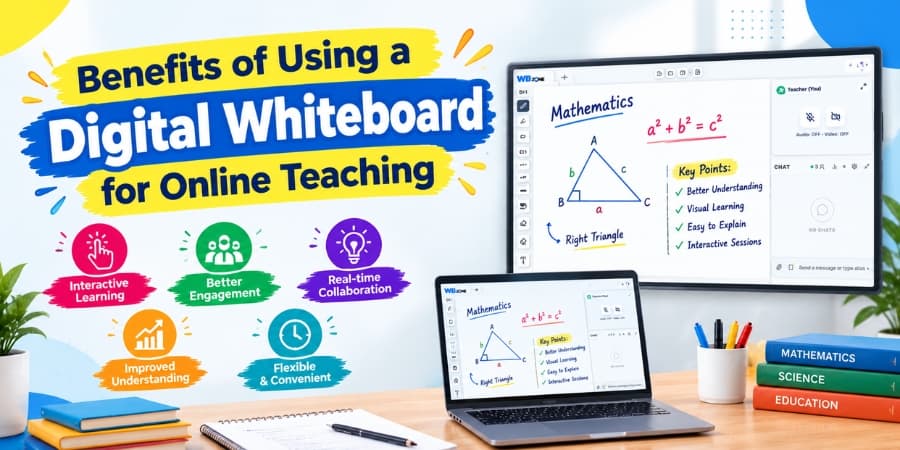
Online teaching has become an important part of modern education. Teachers and tutors need effective ways to explain concepts, share learning materials, and keep students involved during virtual lessons. A digital whiteboard helps educators present information visually, write notes in real time, and explain difficult topics in a more interactive way.
Unlike a traditional classroom whiteboard, an online whiteboard allows teachers and students to collaborate through a digital platform. When combined with video, audio, screen sharing, and other classroom tools, it can create a more engaging learning experience.
What Is a Digital Whiteboard?
A digital whiteboard is an online workspace where teachers can write, draw, annotate documents, solve questions, and display learning materials during a live class. Depending on the platform, it may also support screen sharing, real-time collaboration, and visual demonstrations.
Teachers can use it to explain mathematical formulas, highlight important points in a lesson, create diagrams, and guide students through problem-solving exercises. Students can follow the explanation and, where collaboration features are available, participate directly in the activity.
Key Benefits of Using a Digital Whiteboard for Online Teaching
1. Makes Complex Concepts Easier to Understand
Some topics are difficult to explain through spoken instructions alone. Subjects such as mathematics, science, grammar, and computer studies often require diagrams, examples, formulas, and step-by-step demonstrations.
A digital whiteboard allows teachers to illustrate these concepts while explaining them. For example, a mathematics teacher can solve an equation one step at a time, while a science teacher can draw a diagram to explain a process. These visual explanations help students follow the lesson more easily.
2. Encourages Student Participation
Keeping students involved during virtual lessons can be challenging. When a class consists mainly of listening, some learners may lose concentration or hesitate to ask questions.
Interactive whiteboard activities can encourage students to take part in the lesson. Teachers may invite learners to solve a question, label a diagram, suggest an answer, or explain their approach. These activities make the classroom more participatory and give teachers opportunities to check student understanding.
3. Supports Real-Time Teaching and Explanation
Teachers often need to change their explanation based on students' questions. With an online whiteboard, they can add notes, draw examples, underline important information, or demonstrate a different method while the class is in progress.
This flexibility is useful for doubt-clearing sessions, individual tutoring, group discussions, and revision classes. Instead of preparing a separate presentation for every question, teachers can explain ideas directly in the shared workspace.
4. Improves Visual Learning
Visual learning techniques can help students organize information and recognize relationships between different concepts. Charts, diagrams, mind maps, timelines, and annotated examples make lessons easier to follow.
A digital whiteboard gives educators a convenient place to create these visual resources during a lesson. Teachers can also use different writing styles, shapes, and highlighting techniques to distinguish important information from supporting details.
5. Makes Online Tutoring More Effective
Private tutors often need to adapt their teaching approach to each student's learning speed and subject requirements. An online whiteboard makes it easier to provide personalized explanations during one-to-one sessions.
For instance, a tutor can work through a student's incorrect answer, highlight the exact step where a mistake occurred, and demonstrate a better approach. This focused interaction can make online tutoring sessions more productive.
6. Supports Screen Sharing and Learning Materials
Many online lessons require teachers to refer to digital textbooks, presentations, worksheets, diagrams, or other educational resources. Screen sharing and annotation tools can help teachers explain these materials without repeatedly switching between separate explanations.
When a platform combines screen sharing with a whiteboard, educators can discuss a document and add relevant notes during the same session. The available features depend on the teaching platform being used.
7. Helps Organize Lesson Explanations
A well-organized lesson helps students understand the connection between topics. Teachers can divide the whiteboard into sections for definitions, examples, practice questions, and summaries.
This approach is especially helpful when teaching a long chapter or preparing students for examinations. Clear organization allows students to follow the lesson structure and focus on the most important information.
8. Makes Remote Learning More Flexible
Online teaching allows educators and learners to connect from different locations. A browser-based whiteboard can make visual teaching possible without requiring a physical classroom board.
Depending on the platform's device compatibility and technical requirements, teachers may be able to conduct lessons from different locations and access their teaching workspace through supported devices. This flexibility is useful for independent tutors, online educators, and institutes offering remote classes.
Digital Whiteboard Features That Help Teachers
When selecting a digital whiteboard for online education, teachers should consider the tools they need for their teaching style.
| Feature | How It Helps |
|---|---|
| Digital pen and drawing tools | Help explain concepts through writing, sketches, and diagrams. |
| Shapes and annotation | Make it easier to highlight important information and mark learning materials. |
| Audio and video communication | Support direct interaction between teachers and students during live lessons. |
| Screen sharing | Allows educators to demonstrate applications, presentations, and learning resources. |
| Chat and collaboration | Give learners additional ways to ask questions and participate. |
| Saving or exporting content | May allow teachers to preserve lesson notes for future reference, depending on platform support. |
How WhiteBoardZone Supports Online Teaching
WhiteBoardZone is designed to support online teaching with a digital learning environment where educators can explain concepts and interact with students. A teaching workspace that combines whiteboard activities with communication tools can help make online lessons more structured and interactive.
Teachers can explore the platform to understand how its available features fit their teaching requirements, whether they conduct individual tutoring sessions, group lessons, or concept-based classes.
Choosing the right online teaching tools depends on the number of students, the subjects being taught, the devices used, and the type of interaction required during lessons.
Tips for Getting Better Results from a Digital Whiteboard
- Plan the lesson: Organize the main concepts and examples before the session begins.
- Keep the board clear: Avoid filling the workspace with too much text at once.
- Use visual examples: Add diagrams, charts, and step-by-step solutions where they improve understanding.
- Ask students to participate: Include short exercises and invite learners to explain their answers.
- Check understanding regularly: Pause after important concepts and encourage questions.
- Review the available features: Learn how the platform handles annotation, communication, and saving lesson content.
Conclusion
A digital whiteboard can make online teaching more visual, interactive, and organized. It helps educators demonstrate complex concepts, encourage student participation, and explain learning materials in real time. When used with a clear lesson plan and suitable communication tools, it can improve the overall online learning experience.
For teachers, tutors, and educational institutes looking to make virtual lessons more engaging, exploring a platform such as WhiteBoardZone can be a useful step toward a more interactive teaching environment.